Open source · MIT · powered by YuE2

Your own AI music studio,
running on your machine

Write songs from lyrics and a style, cover your own recordings, extend and edit finished tracks, and shape the sound with community LoRAs. No cloud, no subscription.

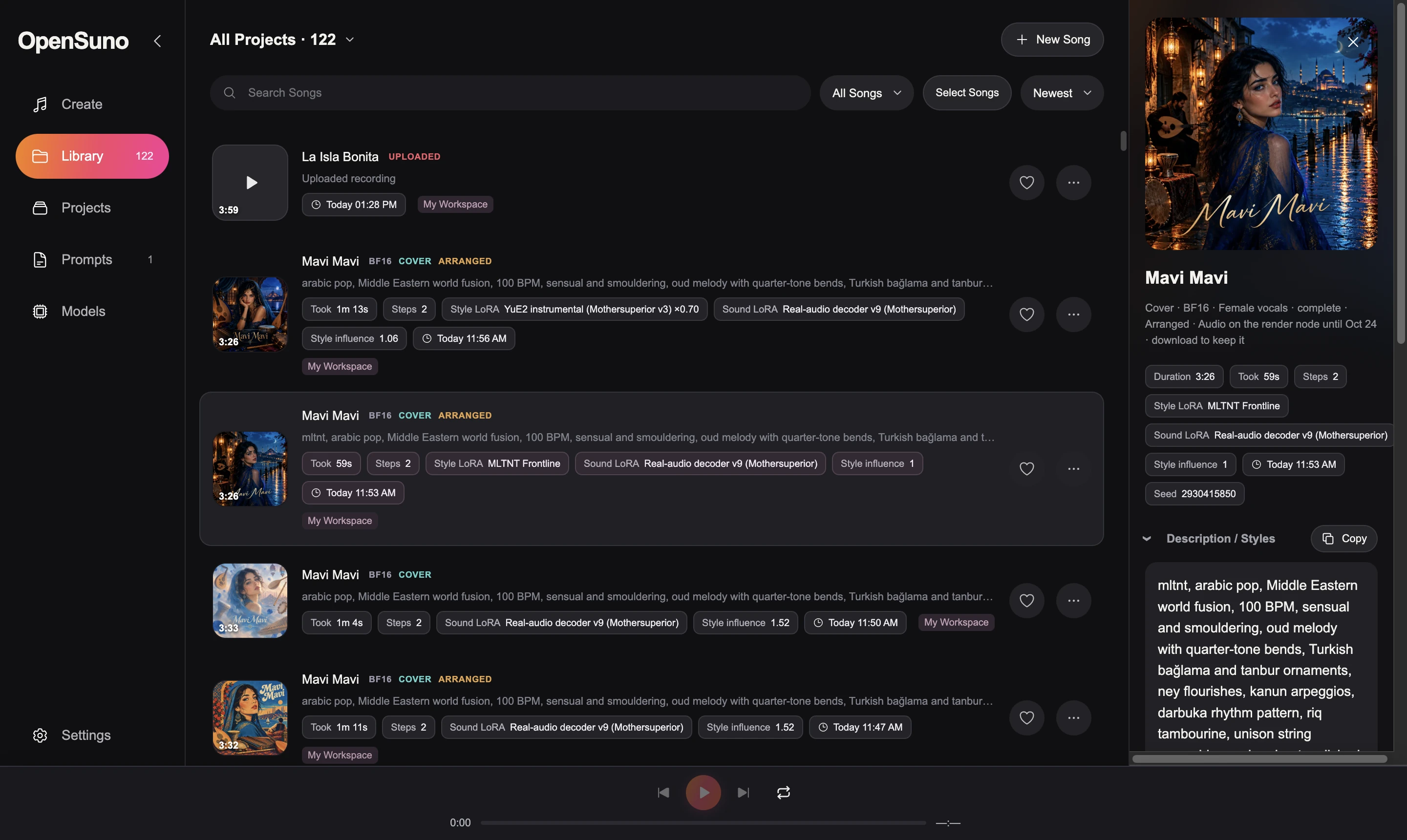
OpenSuno library with finished songs, LoRA badges and the song details panel

Everything you need to make a song

A full browser studio around YuE2, the open lyrics-to-song model. Everything runs locally; your recordings never leave your computer.

Songs from lyrics

Lyrics plus a style line. The model can write a chord-annotated score first for structured songs. Instrumental mode, voice choice, and up to 8 versions per run.

Cover your recordings

Upload a song, keep its melody (and chords), and let the model arrange it in a new style with in-tune chords on every bar.

Extend and edit

Extend a song, regenerate from any bar, or edit the arrangement at the score level: style, tempo, harmony and structure.

Community LoRAs

Two stackable slots: one changes what is written (genre, artist style), one changes the sound. A curated catalog downloads in one click.

Style help

73 style presets with blending, a style builder, optional AI style suggestions, section-tag picker, lyric search and automatic album art.

Your hardware

Apple Silicon via MLX, Windows and NVIDIA via CUDA. Render on another machine's GPU with the render node.
Covers that keep the song

SheetSage2 and MERT-v2 transcribe the melody; YuE2 arranges the rest around it.

Install

Allow about 20 GB of disk space. Models download from the Models page inside the app: resumable, verified, pinned to exact versions.

Mac (Apple Silicon)

# needs Homebrew
git clone https://github.com/victorcampeanu/OpenSuno-YuE2.git
cd OpenSuno-YuE2
bash "scripts/Install OpenSuno.command"
open "scripts/Launch Studio.command"

Then open Models and download YuE2 BF16 (7.5 GB).

Windows / NVIDIA

# Python 3.11, FFmpeg, current NVIDIA driver
git clone https://github.com/victorcampeanu/OpenSuno-YuE2.git
cd OpenSuno-YuE2
powershell -ExecutionPolicy Bypass -File "scripts\Install OpenSuno.ps1"
powershell -ExecutionPolicy Bypass -File "scripts\Launch Studio.ps1"

Then download YuE2 CUDA BF16 in Models. Windows support is experimental.

The studio opens at http://127.0.0.1:7862. Full guides: README · Models · Using the studio

Build it with us

OpenSuno is MIT-licensed and open to contributions. Fork it, send pull requests, report bugs, or share your songs and LoRA recipes.

YuE2MLXPyTorch CUDASheetSage2MERT-v2LoRAFastAPI